Skip to content
Registration is limited to Google Gmail & MailRU & Yahoo & Yandex email addresses.
Do not create multi-accounts, you will be blocked!

gog

Trusted Uploader
  • Joined

  • Last visited

Everything posted by gog

    • 280 downloads
    BMW S1000rr 1.0.0
    Free
    • 310 downloads
    2020 F-250 Fire Chief 1.0.0
    Free
    • 589 downloads
    Unmarked Silverado 2500 1.0.0
    Free
    • 142 downloads
    Spartan Midmount 1.0.0
    Free
    • 125 downloads
    Type 3 Brush truck 1.0.0
    Free
    • 761 downloads
    Red Willow V2 1.0.0
    Free
  1. gog posted a file in Emergency
    • 703 downloads
    DOT PACK
    Free
    • 29 downloads
    Mid lighting 1.0.0
    Free
    • 1039 downloads
    Lorem Range Chicago 1.0.0
    Free
    • 483 downloads
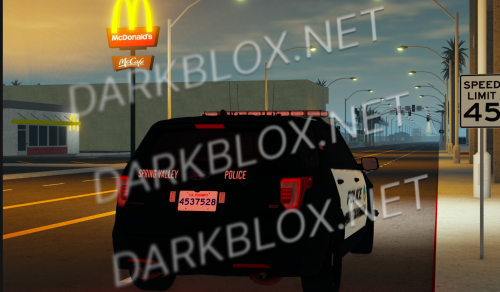
    SPRING VALLEY, CALIFORNIA
    Free
    • 57 downloads
    Massachusetts 2018 Explorer (1)
    Free
    • 270 downloads
    San Diego Police Department pack
    Free
  2. gog posted a file in Emergency
    • 82 downloads
    2011 CVPI AZDPS
    Free
    • 443 downloads
    Coral Springs Police Vest
    Free
    • 566 downloads
    Police Utility Vest (1)
    Free
    • 646 downloads
    Sacramento Sheriff's Office Stab Vest
    Free
    • 369 downloads
    Georgia State Police Dutybelt
    Free
    • 385 downloads
    Police Utility Dutybelt (1)
    Free
    • 339 downloads
    Nashville Metro Police Vest
    Free
    • 433 downloads
    Metro Police Fictional Vest (1)
    Free
    • 592 downloads
    Sheriff Fictional Utility Belt (1)
    Free
    • 603 downloads
    Sheriff Detective Fictional Vest (1)
    Free
    • 740 downloads
    Los Angeles Police Dutybelt
    Free
  3. gog posted a file in Emergency
    • 169 downloads
    Dashcam_System (1)
    Free
  4. RDS

    gog posted a file in Emergency
    • 229 downloads
    RDS
    Free

Powered by darkblox.net

Account

Navigation

Search

Search

Configure browser push notifications

Chrome (Android)
  1. Tap the lock icon next to the address bar.
  2. Tap Permissions → Notifications.
  3. Adjust your preference.
Chrome (Desktop)
  1. Click the padlock icon in the address bar.
  2. Select Site settings.
  3. Find Notifications and adjust your preference.