Skip to content
Registration is limited to Google Gmail & MailRU & Yahoo & Yandex email addresses.
Do not create multi-accounts, you will be blocked!

mdtjr01

Active Member
  • Joined

  • Last visited

  1. no its on the toolbox so theres no reason to post it Ai person
  2. mdtjr01 started following dime
  3. i cant use the 330i nor spawn it
  4. mdtjr01 commented on mdtjr01's file in Cars
    most are asseted and he did not make them soo
  5. mdtjr01 commented on mdtjr01's file in Cars
    oh well it was in cams car pack
  6. mdtjr01 commented on RobloxUser's file in Cars
    jmt'
  7. mdtjr01 commented on mdtjr01's file in Cars
    THE OTHER PICS R THE HES TOOK
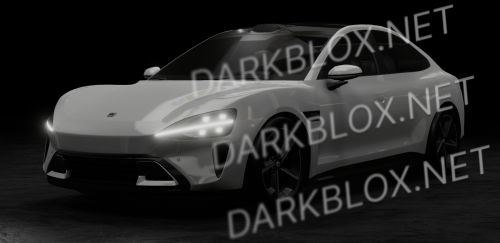
  8. Hunters explaorer he took the cars i had so now i asset his DONT PLAY WITH mE BITCH File Information Submitter mdtjr01 Submitted 08/16/26 Category Cars View File
  9. mdtjr01 posted a file in Cars
    • 95 downloads
    • Version 1.0.0
    he took the cars i had so now i asset his DONT PLAY WITH mE BITCH
    Free
  10. mdtjr01 commented on sonbrero's file in Cars
    i cant download this
  11. mdtjr01 started following Bmw i8
  12. mdtjr01 commented on RobloxUser's file in Cars
    I can’t download it

Powered by darkblox.net

Account

Navigation

Search

Search

Configure browser push notifications

Chrome (Android)
  1. Tap the lock icon next to the address bar.
  2. Tap Permissions → Notifications.
  3. Adjust your preference.
Chrome (Desktop)
  1. Click the padlock icon in the address bar.
  2. Select Site settings.
  3. Find Notifications and adjust your preference.