Skip to content
Do not create multi-accounts, you will be blocked!

Project: BAA Asseted 1.0.0

(1 review)

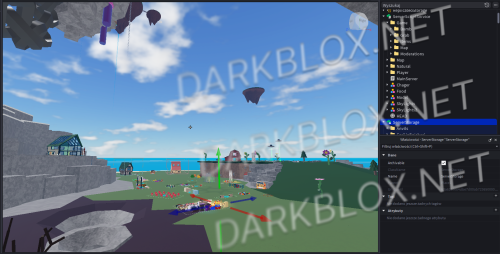
1 Screenshot

How to fix the game technically not working:
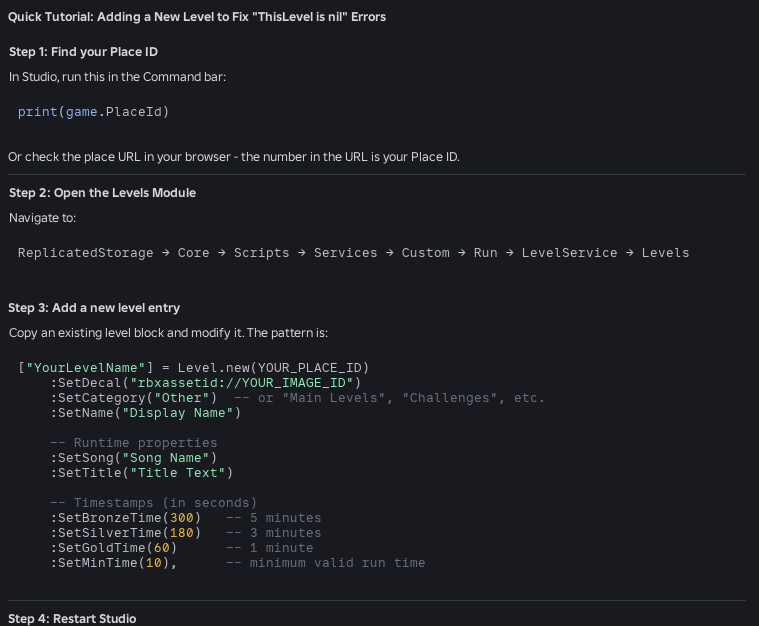
Zrzut ekranu 2026-04-24 160454.png

YourLevelName"] = Level.new(YOUR_PLACE_ID)

:SetDecal("rbxassetid://YOUR_IMAGE_ID")

:SetCategory("Other") -- or "Main Levels", "Challenges", etc.

:SetName("Display Name")

-- Runtime properties

:SetSong("Song Name")

:SetTitle("Title Text")

-- Timestamps (in seconds)

:SetBronzeTime(300) -- 5 minutes

:SetSilverTime(180) -- 3 minutes

:SetGoldTime(60) -- 1 minute

:SetMinTime(10), -- minimum valid run time

User Feedback

Recommended Comments

Alastor

Active Member

Uploading Attachment...# asseted Places

Here is a link to all the places in the experience:

- [The Tutorial](<https://create.roblox.com/dashboard/creations/experiences/6592178921/places/88922305880449/configure>): the default tutorial map you get sent to when joining

- [Level 1](<https://create.roblox.com/dashboard/creations/experiences/6592178921/places/95494673330969/configure>): What would have been a factory themed level

- [Level 2](<https://create.roblox.com/dashboard/creations/experiences/6592178921/places/117101557383112/configure>): What would have been a space station themed level

- [Dev Map](<https://create.roblox.com/dashboard/creations/experiences/6592178921/places/96753690330743/configure>): A developer map where I tested stuff

- [Tutorial?](<https://create.roblox.com/dashboard/creations/experiences/6592178921/places/139837696095244/configure>): A challenge map based on a rotated version of the tutorial

- [IGD Test Place](<https://create.roblox.com/dashboard/creations/experiences/6592178921/places/94578045895913/configure>): A place I used for some programming assignments in a game design class of mine

- [ball and axe](<https://create.roblox.com/dashboard/creations/experiences/6592178921/places/80926246366408/configure>): A copy of DoctorPurpl's ball and axe, specifically level 1

Create an account or sign in to comment

Other files from Alastor


Powered by darkblox.net

Account

Navigation

Search

Search

Configure browser push notifications

Chrome (Android)
  1. Tap the lock icon next to the address bar.
  2. Tap Permissions → Notifications.
  3. Adjust your preference.
Chrome (Desktop)
  1. Click the padlock icon in the address bar.
  2. Select Site settings.
  3. Find Notifications and adjust your preference.