Registration is limited to Google Gmail & MailRU & Yahoo & Yandex email addresses.
Do not create multi-accounts, you will be blocked!
Leaderboard
-
Jack Wumbertson
Member1Points0Posts -
no.one.important
Member1Points0Posts -
WilliamFranks1999
Active Member1Points53Posts -
yata
Member1Points3Posts



Popular Content
Showing content with the highest reputation on 10/07/26 in all areas
-
1 point
-
1 point
-
 Thank you i hope u do the Lobby/Menu next time man1 point
 -
1 point
-
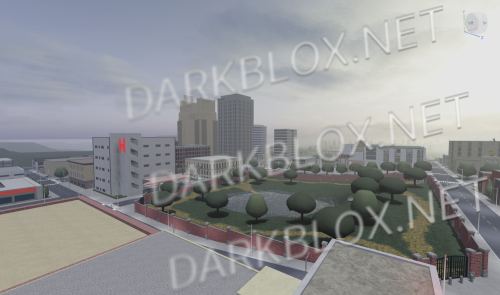 Hey guys, I am selling this version of New Haven County that I have. It has the full map & all the scripts and it's probably from what I've seen on here at least, one of the best versions you can buy. Everything works as it should. The team changers, car spawners, gun system, everything works. I've included a video below that you can watch for a full showcase of everything and just so you know I'm not bullshitting ya'll. If you decide to purchase this, thank you in advance! 2026-09-20 20-09-20.mp415.00 USD1 point
 -
.thumb.webp.aaab904a0f79d15dc83221a5ba2885b7.webp) Sure its great having the cold war gear. Other than that... everything else is "okay" i guess, despite the majority of the map not being there.1 point
Sure its great having the cold war gear. Other than that... everything else is "okay" i guess, despite the majority of the map not being there.1 point -
10/10, fully reccomend it to users who need Cold War gear. The only issue is that huge parts of the mao are missing, but lets be honest, the map aint nothing special. Overall, great file.1 point
-
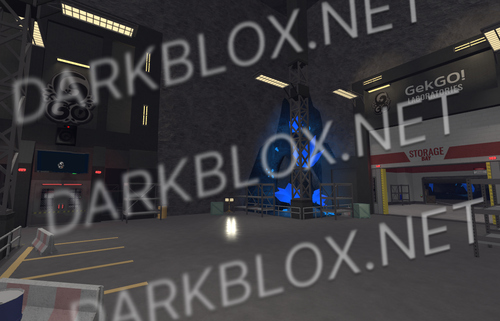 I was finally able to use saveinstance to access this game The map may have some lighting degradation but that's cuz I didn't configure proper set for bluestack and had to decompile it like this shitty roblox graphic mode What are the benefits??? At least.... it seems like all the modulescripts and localscripts were decompiled without any issues (like konstant bytecode/api error or othr shit) since I used shiny for thisFree1 point
 -
1 point