Registration is limited to Google Gmail & MailRU & Yahoo & Yandex email addresses.
Do not create multi-accounts, you will be blocked!
Leaderboard
-
Ebalay
Member1Points2Posts -
World OF SIMULATORS
Member1Points2Posts -
Biaoqing Panda
Active Member1Points4Posts -
SuperPotatoMAN11
Member1Points2Posts



Popular Content
Showing content with the highest reputation on 03/07/26 in all areas
-
1 point
 Amerikanata | Play on Roblox so they started drama then i got the file and asseted it hereFree1 point
 -
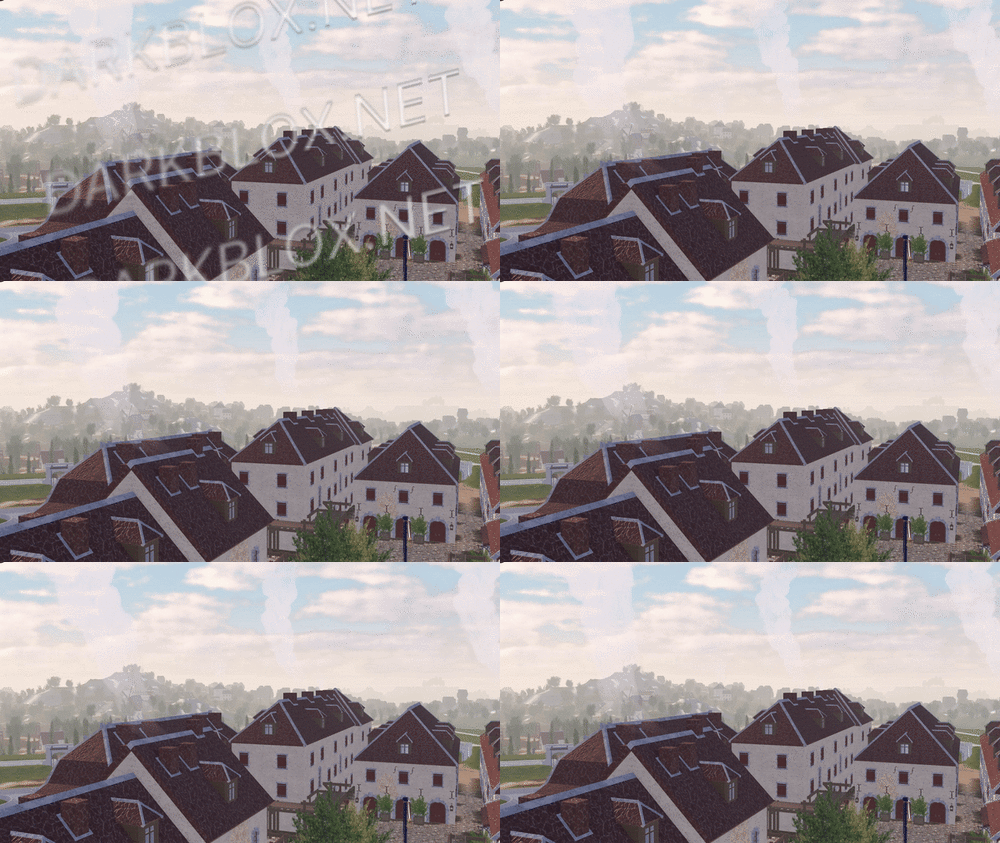 In-game screenshots: Loadout, chants, and weapon usage showcase: https://imgur.com/a/2SxFZd6 In-game screenshots in GIF version (to show more details.): https://imgur.com/a/2JdtelS For those who don't know how to setup the map, I'll explain it here. 1. Go to ServerScriptService: - In the Roblox Studio, find the section called "ServerScriptService." Then, look for a folder called "ThisMap." 2. Edit the Barraux Script: - Inside the "ThisMap" folder, you'll find a module script named "Barraux." Open this script and go to line 110. On that line, you'll see an ID number. Replace it with your own Roblox group ID. 3. Edit the French ModuleScript: - Now, go to a folder called "ThisNation." Inside, find the "French" module script. Open it and change the ID numbers at lines 77 and 101 to your Roblox group ID. // groupForPermission = group ID // minimumRank = minimum rank inside the selected group ID to have this in-game permission. 4. Edit Flag Navigation Permissions: - In the same "French" module script, click to view more files. Look for something called "FlagsNew." Inside, go to "FlagNavigationPermissions" and change the ID numbers starting from line 25 until the last line with an ID. // groupToSee = group ID // userIdToSee = player ID 5. Modify NavigationPermission ModuleScript: - Next, go to the "Loadouts" module script, click the arrow to view more. Inside, find the "NavigationPermission" module script. Here, you’ll need to change the ID on line 25 and every line with an ID until the end of the script. // groupToSee = group ID // userIdToSee = player ID 6. Update NavigationTable ModuleScript: - After you’re done with "NavigationPermission," go to the "NavigationTable" module script and change the ID starting from line 30 until the last line. // permission = player ID 7. TagsInfo Customization: - Now, go to the "TagsInfo" module script. Here, you can change the ID and customize any text as you like. 8. Edit TeamInfo ModuleScript: - Finally, go to the "TeamInfo" module script and update the IDs starting from line 99 all the way until the last line with an ID. There is a lot more for you to edit and customize; this is just a basic setup, and I'm sure you will figure it out on your own soon after you take a look around it. (You need to spoof all animation too.) Note: Weapons, company creation, and admin commands are functional in the game. More information and details on how to customize additional aspects might be added later if I'm not too lazy.Free1 point
 -
1 point
 This was before the Christmas update; For legal reasons i do not claim ownership of this nor the asseting of this game.Free1 point
 -
1 point
-
1 point
 Since the last post popped off, here's something more. You know the drill - high star ratings, comments and reviews, the more I release. If anyone's interested in worldbuilding projects, hit me up in mesages.Free1 point
 -
 ckrp cars pack 2 its old so no negative reviews, if you want pack 1 check my accountFree1 point
 -
1 point
-
1 point
-
1 point
-
1 point
 Angl I am providing you with a pack of items to create your own player equipment. This pack includes a helmet, bulletproof vest, and belt. Everything else is included (list it for me in the pad). The example on the NPCs was made by me. I think you will like my pack and find it useful. 👍 Russ Я предоставляю вам набор предметов для создания собственного снаряжения игрока. В этот набор входят шлем, бронежилет и ремень. Все остальное к ниму прилагается (перечислять мне в падлу). Пример на 1 - 2 NPCшках был сделан мной. Думаю, вам понравится мой набор и он будет вам полезен. 👍Free1 point
 -
Son 😭😭😭 They shouldn't be forced to open the discord server again, if anges has concerns about ITAL spies then let them make it closed invite. They aren't going to listen to you sherlock1 point
-
1 point
-
1 point
-
1 point
.thumb.png.7a4d394cbe96d8b804031ff1189783a7.png) DriveLine X (Experiment) V1.0.9 The file provided is the version before the owner updated it and then closed it. Fun Facts: Uses a slightly modified A-Chassis 1.7 Development started in 2023 This is the version before their planned map overhaul, which would have been called Version 1.1 That's allFree1 point
DriveLine X (Experiment) V1.0.9 The file provided is the version before the owner updated it and then closed it. Fun Facts: Uses a slightly modified A-Chassis 1.7 Development started in 2023 This is the version before their planned map overhaul, which would have been called Version 1.1 That's allFree1 point -
1 point
-
1 point
-
1 pointhttps://www.roblox.com/games/123478305608429/Monaco-F1WS-Formula-Racing they have lot of liveries and good car models, get it pls :D1 point
-
1 point
-
0 points
-
0 points
-
0 pointsThe Prince Of Wales, Pub & Bar The Prince Of Wales, Pub & Bar is a Really nice game if you want to chill and have a laugh with friends the game comes fully scripted File Information Submitter Glaze Submitted 04/11/25 Category Maps View File
 0 points
 -
0 points
.thumb.jpg.9854345ba2d90363c1782a2e1ef631ef.jpg) User could be a spammer. Sent a few files claimed to be full scripted but only localscripts is shown in file. Suggestion: Report0 points
User could be a spammer. Sent a few files claimed to be full scripted but only localscripts is shown in file. Suggestion: Report0 points -
-1 points






.thumb.png.27ee8463031865799c8e79c3cf560e87.png)