Registration is limited to Google Gmail & MailRU & Yahoo & Yandex email addresses.
Do not create multi-accounts, you will be blocked!
Leaderboard
-
Anthony Muller
Active Member5Points53Posts -

Alfred
Active Member3Points163Posts -

DriftingCowboy
Active Member2Points49Posts -

Biaoqing Panda
Active Member1Points4Posts
.thumb.png.85da49f309471745d88c99097da178b2.png)



Popular Content
Showing content with the highest reputation on 01/07/25 in all areas
-
 i love it, but do you happen to have the BI™dscord server?2 points
 -
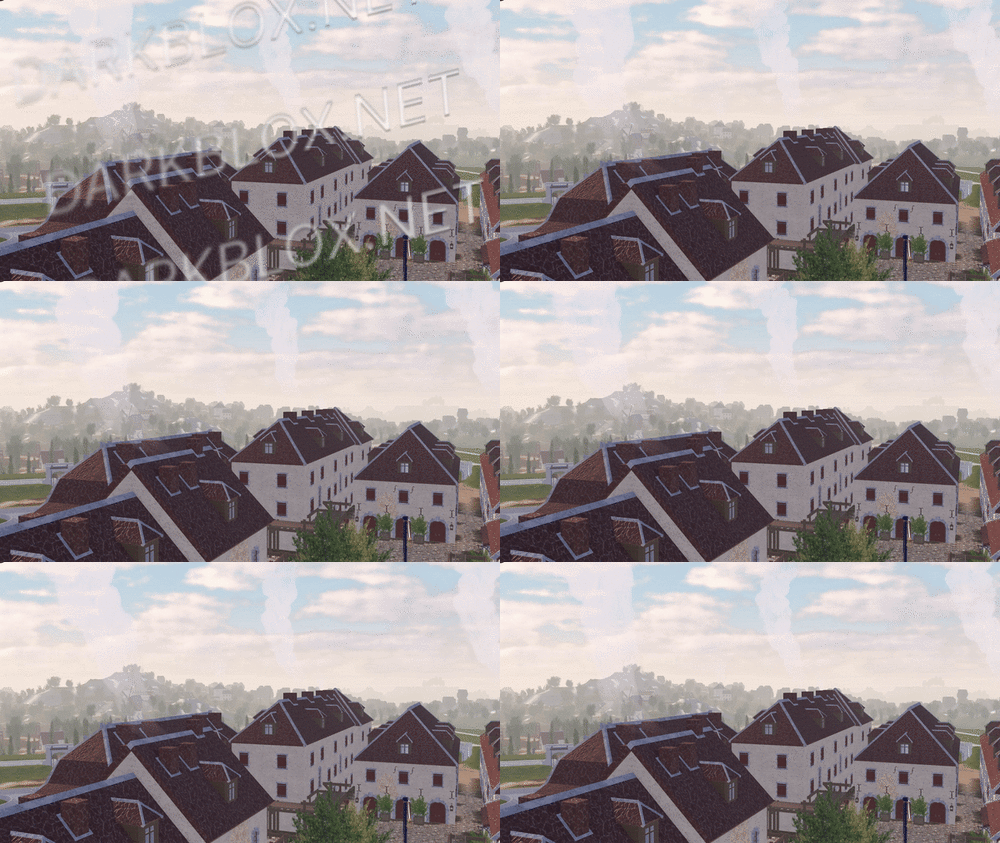 In-game screenshots: Loadout, chants, and weapon usage showcase: https://imgur.com/a/2SxFZd6 In-game screenshots in GIF version (to show more details.): https://imgur.com/a/2JdtelS For those who don't know how to setup the map, I'll explain it here. 1. Go to ServerScriptService: - In the Roblox Studio, find the section called "ServerScriptService." Then, look for a folder called "ThisMap." 2. Edit the Barraux Script: - Inside the "ThisMap" folder, you'll find a module script named "Barraux." Open this script and go to line 110. On that line, you'll see an ID number. Replace it with your own Roblox group ID. 3. Edit the French ModuleScript: - Now, go to a folder called "ThisNation." Inside, find the "French" module script. Open it and change the ID numbers at lines 77 and 101 to your Roblox group ID. // groupForPermission = group ID // minimumRank = minimum rank inside the selected group ID to have this in-game permission. 4. Edit Flag Navigation Permissions: - In the same "French" module script, click to view more files. Look for something called "FlagsNew." Inside, go to "FlagNavigationPermissions" and change the ID numbers starting from line 25 until the last line with an ID. // groupToSee = group ID // userIdToSee = player ID 5. Modify NavigationPermission ModuleScript: - Next, go to the "Loadouts" module script, click the arrow to view more. Inside, find the "NavigationPermission" module script. Here, you’ll need to change the ID on line 25 and every line with an ID until the end of the script. // groupToSee = group ID // userIdToSee = player ID 6. Update NavigationTable ModuleScript: - After you’re done with "NavigationPermission," go to the "NavigationTable" module script and change the ID starting from line 30 until the last line. // permission = player ID 7. TagsInfo Customization: - Now, go to the "TagsInfo" module script. Here, you can change the ID and customize any text as you like. 8. Edit TeamInfo ModuleScript: - Finally, go to the "TeamInfo" module script and update the IDs starting from line 99 all the way until the last line with an ID. There is a lot more for you to edit and customize; this is just a basic setup, and I'm sure you will figure it out on your own soon after you take a look around it. (You need to spoof all animation too.) Note: Weapons, company creation, and admin commands are functional in the game. More information and details on how to customize additional aspects might be added later if I'm not too lazy.Free1 point
 -
1 point
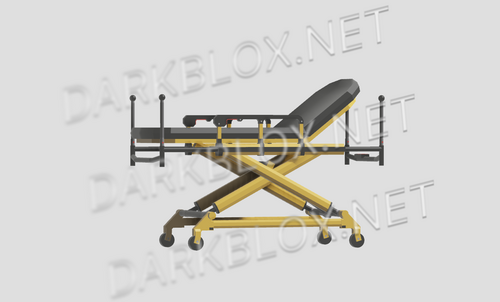 Flatline is a Digital Development company focusing on Pre-Hospital & Hospital assets to use in roleplay scenes. This stretcher has been developed by Flatline to allow paramedics to effortlessly move patients from the scene to the ambulance. This stretcher system allows the paramedic to change the height of the stretcher (allowing for realistic transportation), change the headrest position (allowing the patient to either be sitting up or completely flat if immobilised, and it allows the paramedic to move the patient around without the patient needing to do anything aside from take a seat. To use, simply equip the stretcher tool to make the stretcher appear and then click somewhere on the screen to toggle the move function. To change the stretcher’s height or headrest position, unequip the tool and click the right red button below the headrest and a GUI will appear with the functions. To remove the stretcher, equip the tool and press the “G” key. Moveable (with patient on it) Height can be raised and lowered Headrest has two positions (up and down) Proper seating/laying positions Link to store: Flatline Stretcher System – Clearly DevelopmentFree1 point
 -
1 point
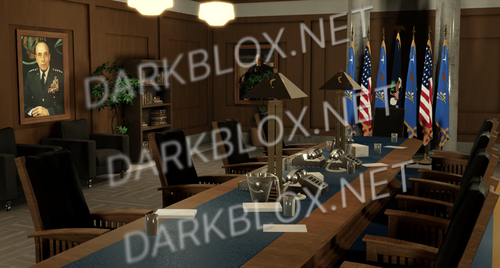 Introducing the ultimate showpiece for any military enthusiast or history aficionado - the most realistic Department of Defense Pentagon 3D Replica, fully scripted and meticulously crafted to capture every intricate detail. This extraordinary masterpiece is not just a mere replica; it is an awe-inspiring work of art that evokes a sense of admiration and respect for the monumental structure it represents. i found the link to this product (https://torionindustries.com/the-pentagon) in my dms with someone just now and i felt like why not go ahead and asset it. enjoy it or smthnFree1 point
 -
1 point
 Assets/maps/scripts new and olds (with custom) from this game so yeah skdish https://www.roblox.com/games/12068120918/Napoleonic-WarsWestphalia_2te.rbxm spainRG.rbxl artilley.rbxm spainmap1.rbxl WATERLOO CAMPAIGNS.rbxl Lands of Europe.rbxl BOE NATIONS.rbxm ALLOFPRUSSIA.rbxm (click on screen for full) Luxembourg.rbxm swiss.rbxm RegimentalBearskins.rbxm GrenHats.rbxm 3o_leggera.rbxmFree1 point
 -
1 point
-
1 point
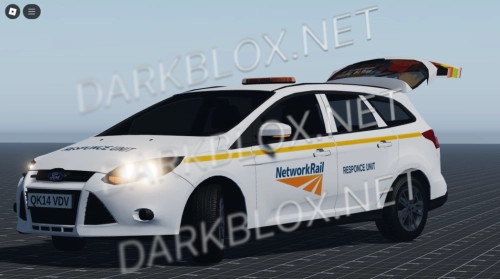 This is a network rail car with opnebal boot and can be used for good uk:rp gamesFree1 point
 -
 Beutiful Made in Ferrarico system Great for WW2 games Realistic Recoil Original price: 24$ New price: 0$Free1 point
 -
1 point
-
 All Ambulance Service Ranks Epaulettes, Highly customisable, different colours, decals and text for each, all fully scripted with a giver and a group ID System, which changes each epaulette depending on your ID in a group! EVERYTHING in this pack is made by ores development All Ambulance Service Ranks Epaulettes, Highly customisable, different colours, decals and text for each.Free1 point
 -
1 point
-
1 point
-
1 point
-
Good map; everything is nice, and the graphics are great. i would recommend this for RP’s and Community people. Map is set up with ACS, Good systems and great for realistic roleplay people, Great job on getting this map Keep up the great work; you have my support.1 point
-
1 point
-
1 point