Skip to content
Do not create multi-accounts, you will be blocked!
If the site is blocked, use our mirror: dbx.st
More stable than the .net version. We are moving everything to dbx.st soon. The .net domain will remain as a backup.
Register Today and Join 50,000+ Members!

Sign up instantly and start exploring!

Maps 🏴‍☠️ HONDO DROP #25 — FREE MAP GETS SOLD 💰🔥

Featured Replies

🏴‍☠️ HONDO DROP #25 — FREE MAP GETS SOLD 💰🔥

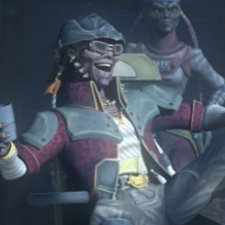
🏴‍☠️ AHHH, MY FRIENDS! Hondo has news for you! 😏💰

Hier ist der nächste „Hondo Drop“ – wenn wir es überhaupt einen Drop nennen dürfen! 😂

Diese Map wurde bereits vor ungefähr 1–2 Wochen veröffentlicht. 📅 Und was macht Spencer? 🤔 Er verkauft sie jetzt, als wäre sie etwas Neues und Besonderes! 💰🎭

Die ursprüngliche Release-Datei war bereits als ZIP namens „TFO“ im TGE-Verzeichnis zu finden. 📦

Also frage ich euch, meine Freunde: Warum werden immer wieder Maps verkauft, von denen bekannt ist, dass sie bereits geassett bzw. öffentlich verfügbar sind? 🤨🏴‍☠️

💰 Mein Rat: Überlegt euch gut, wofür ihr eure Credits ausgebt.

Aber Hondo wäre nicht Hondo, wenn es nicht noch mehr Neuigkeiten gäbe! 😎🏴‍☠️

Ich und eine weitere Person haben einen Server, auf dem wir noch weitere Neuigkeiten und Releases teilen werden. 📢🔥

Darkbox bekommt nur noch etwa einmal pro Tag etwas – auf unserem Server wird es dagegen mehrere Updates geben. 👀

Dort zeigen wir außerdem weitere Informationen zu den Behauptungen rund um Spencer. 🕵️‍♂️

🔒 Der Server ist nicht für jeden zugänglich, also keine Sorge – es bleibt unter Kontrolle.

🏴‍☠️ Hondo has spoken! Ho ho ho! 🍾💰

🔗 https://discord.gg/y4wRmW86k

File Information

Submitter Hondo D.Ohnaka

Submitted 09/25/26

Category Dexxed & Maps

View File

🏴‍☠️ HONDO DROP #25 — FREE MAP GETS SOLD 💰🔥

Join the conversation

You are posting as a guest. If you have an account, sign in now to post with your account.
Note: Your post will require moderator approval before it will be visible.

Guest
Reply to this topic...

Powered by darkblox.net

Account

Navigation

Search

Search

Configure browser push notifications

Chrome (Android)
  1. Tap the lock icon next to the address bar.
  2. Tap Permissions → Notifications.
  3. Adjust your preference.
Chrome (Desktop)
  1. Click the padlock icon in the address bar.
  2. Select Site settings.
  3. Find Notifications and adjust your preference.