Skip to content
Do not create multi-accounts, you will be blocked!

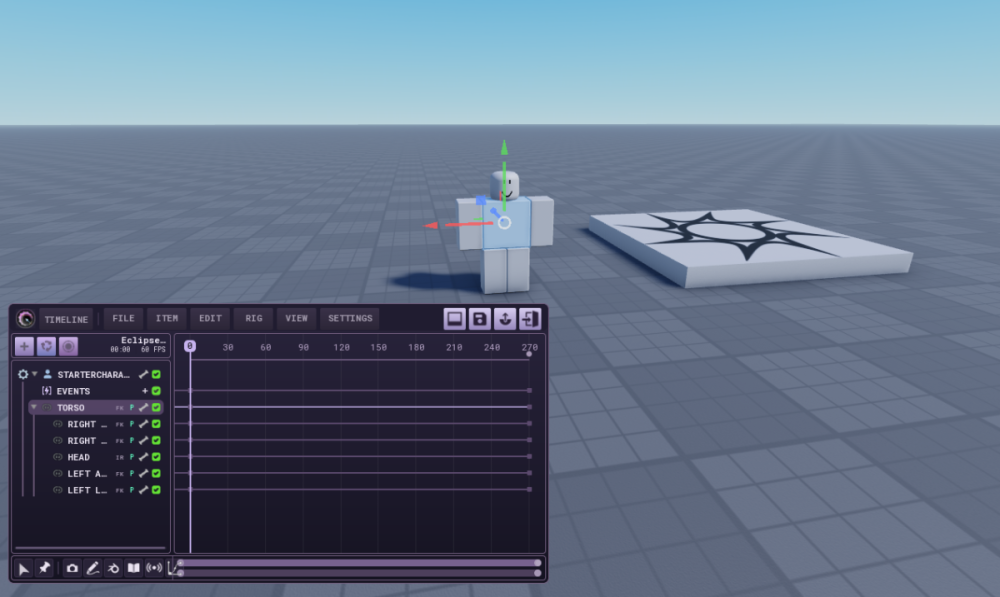
ECLIPSE Animator Plugin. Tutorial in description.

(1 review)

2 Screenshots

19.99 Dollars for a moon animator copy!?, Have it for FREE.

How do I use this??

1) Open Roblox Studio

2) Click the Plugins tab and Click Plugins Folder
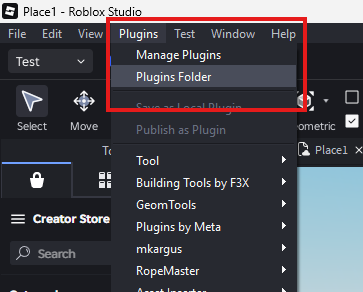
image.png

3) Drag the rbxm file (EclipseAnimatorDARKBLOX.rbxm) into the Plugins folder
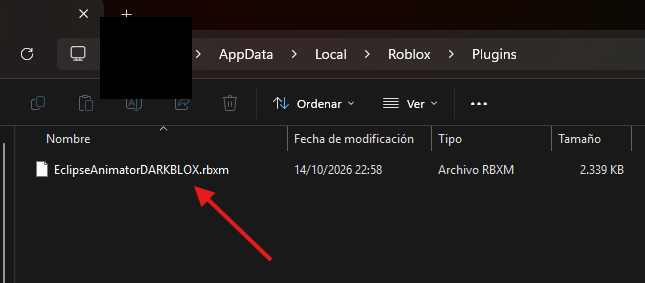
image.png

4) Restart Roblox Studio (Re-open it)

5) Enjoy Eclipse Animator, brought to you by DARKBLOX.
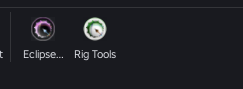
image.pngimage.png

User Feedback

Recommended Comments

andrewka

Active Member

wait so those mf's who developed this plugin and said that it will gonna be free now it has price of 20 bucks????

DWC_lowtiergod

Active Member

free for the first 3 days since release

St4rL1ghtt__

Active Member

lmao i got it when it was free

Create an account or sign in to comment

Other files from kasir0350


Powered by darkblox.net

Account

Navigation

Search

Search

Configure browser push notifications

Chrome (Android)
  1. Tap the lock icon next to the address bar.
  2. Tap Permissions → Notifications.
  3. Adjust your preference.
Chrome (Desktop)
  1. Click the padlock icon in the address bar.
  2. Select Site settings.
  3. Find Notifications and adjust your preference.