Skip to content
Do not create multi-accounts, you will be blocked!

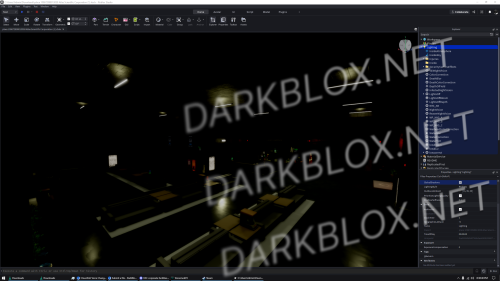
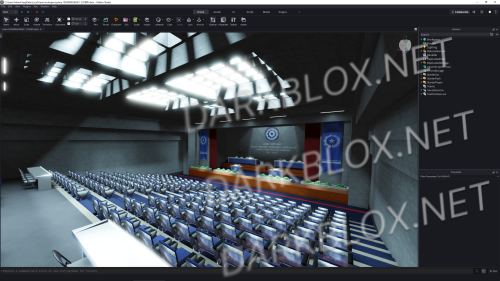
Sierra Research Corporation Full scripted build 10/03/2026 newest

(3 reviews)

1 Screenshot

Everything works and even their web hooks are still in there if you wanna do anything

This game has lots of good morphs but a lot of it is stolen assets. SKIDS

Features a custom surface and several custom teams

Even includes the AIU unit which honestly sucks

To reupload all animations and sound use https://github.com/bacfr/Asset-Reuploader/releases

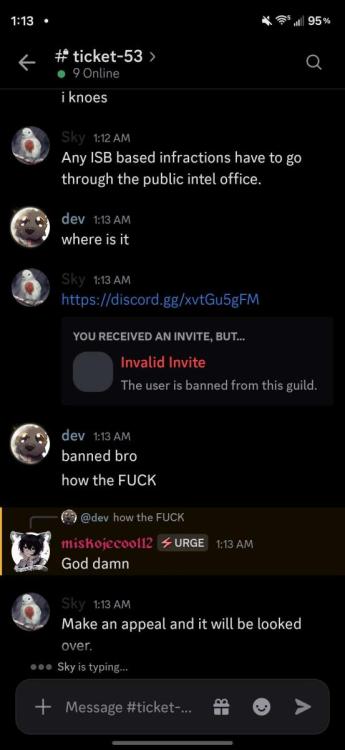
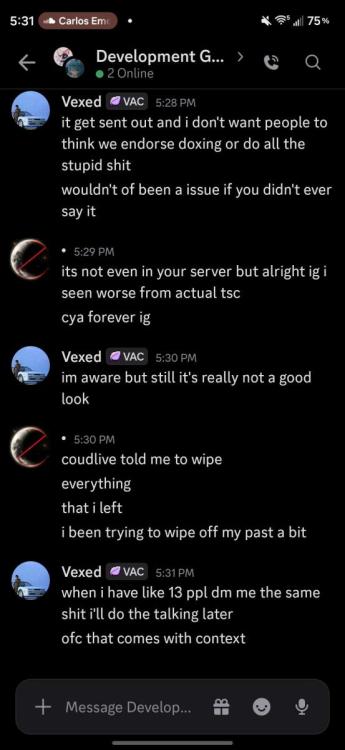
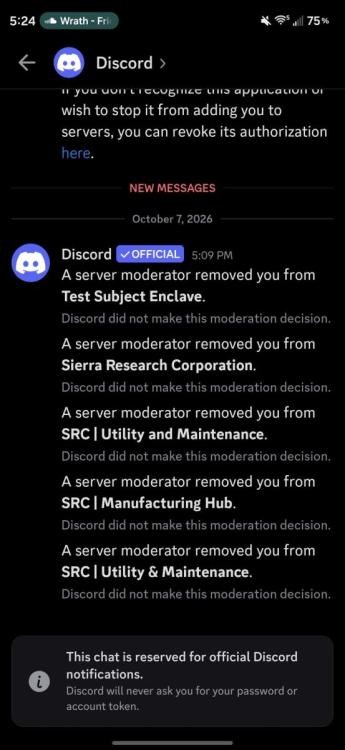
Vexed decided to ban me over my own discord server that he doesn't manage and said he doesn't endorse doxing while i barely even doxed a child pred.

His new ownership is a dictatorship by my standards since he took full control of every group.

USC Will always be better.

https://www.roblox.com/games/87463052168524/USC-2026-INDEV

2nd asset from sierra due to their great people. I used to be a developer here but vexed is too sensitive i guess
Screenshot_20261007_173156.jpg

Screenshot_20261007_172441.jpg

Screenshot_20261010_011345.jpg

User Feedback

Recommended Comments

N0thing_L0ss

Active Member

3 hours ago, Matthewchoo said:

Is it safe to use or did you get hacked?

The asset reuploader is safe to use, I use it all the time.

Blindpowder02

Active Member

Gentlemen. I believe this is an obvious question that's been asked by many. Is the windows application safe to put the warning text into the app? Because I wholeheartedly do not want to loose my account. I'd appreciate a response. Thanks.

Blindpowder02

Active Member

Adding to this, I ended up testing it. (Now I'm stuck on how to find my API key. Not the one in Roblox where you create it, it apparently wants a different one).

Blindpowder02

Active Member

26 minutes ago, Blindpowder02 said:

Adding to this, I ended up testing it. (Now I'm stuck on how to find my API key. Not the one in Roblox where you create it, it apparently wants a different one).

(Edit:)
Where the hell do I find this "C:\WINDOWS\system32\api-key.txt:"?

Casual

Active Member

I followed the instructions and did wat the console told me to do but how exactly does it work? I've only used animation spoofer before, but this is confusing. I don't whether I am supposed to open a tab and type some commands in or what.

Blindpowder02

Active Member

If anyone could just supply the animations in general and where to locate to replace them, that'd be greatly appreciated. if not, me and I bet a couple others will be stuck with a perfect good map with zero way to have it functionally.

DevidGoofy

Active Member

2 hours ago, Blindpowder02 said:

If anyone could just supply the animations in general and where to locate to replace them, that'd be greatly appreciated. if not, me and I bet a couple others will be stuck with a perfect good map with zero way to have it functionally.

MAKE SURE TO select the filter to include scripts.

Blindpowder02

Active Member

Appreciate the view greatly. One small issue though. When I uploaded everything, the walking animation didn't get uploaded. You wouldn't have any way to fix that, would you?

Blindpowder02

Active Member

Just now, Blindpowder02 said:

Appreciate the video greatly. One small issue though. When I uploaded everything, the walking animation didn't get uploaded. You wouldn't have any way to fix that, would you?

Create an account or sign in to comment

Other files from DevidGoofy


Powered by darkblox.net

Account

Navigation

Search

Search

Configure browser push notifications

Chrome (Android)
  1. Tap the lock icon next to the address bar.
  2. Tap Permissions → Notifications.
  3. Adjust your preference.
Chrome (Desktop)
  1. Click the padlock icon in the address bar.
  2. Select Site settings.
  3. Find Notifications and adjust your preference.