


Dear Mods I have tried my best to make sure this Description Follows TOS
Feel free to Read
ive chosen to share these models with you as i have no use for them anymore
these models were suppose to stay private but I guess I’ll let you have them
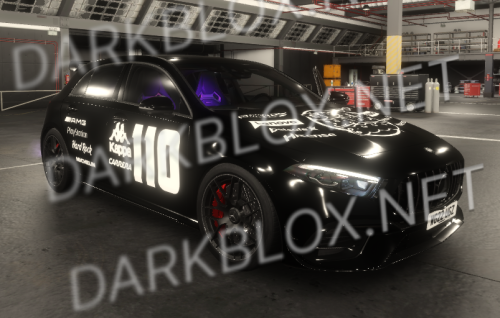
I have worked on 80% of the car whilst helping Zain
I usually dont free things so dont complain about me freeing this
Special Features (That I put in):
- Anti-AALFOU
(Its for your safety. Would you want a Poor Person trying to bring you down Just because Your Better than Them?)
Better to be Safe than watch a Black Person who fakes Depression call you Racist and a Bully.
- No Vibe Coded Scripts, which Zain decided to put in the car for obvious he doesnt know how to Code.
- No Uxbridge Scripts (Their own Darkblox Filled Slot game)
Which is their new game their working on since I banished them from my games
Its another Rip off of the Existing Car game called Uxbridge Sector 🇫🇷/🇬🇧. Which is a asseted Map.
- Anti Lag
I know theyre trying their hardest to be better than me, but just like most of the Slot Games you see nowadays.
It will probably be infested with full of Darkblox Models and Darkblox Scripts.
If they hadnt sided AALFOU (who does nothing for them)
I wouldve given them a Good Car Spawner ScreenUI. To use in their game and some of my own made Car Models,
Instead of them having to use a free model one.
The same people who asked me for help multiple times thinking theyre better than me with their Vibe Coded Darkblox Filled ChatGPT Game
Features:
- Touchscreen (edited by Me)
- Brev Handlers (edited by Me)
= Vibe Coded Scripts (Optional Made by Zain)
General:
- Don’t touch things you don’t need to change. If you need anything, DM me.
Additional Options:
- If you would Like me to Install any Blacklist/Block Scripts Like the ANTI-AALFOU Script. DM me.



You may only provide a review once you have downloaded the file.
There are no reviews to display.