Skip to content
Do not create multi-accounts, you will be blocked!

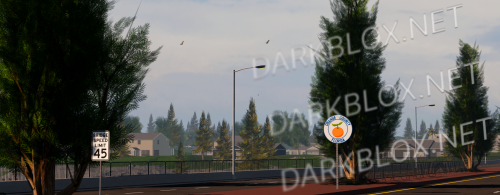
Georgia State Roleplay 1.0.0

1.00 USD

(0 reviews)

2 Screenshots

Unknown Creator

User Feedback

Recommended Comments

NoMan

Active Member

Make it Free Plz

Chris_1776

Active Member

no shit man stop gate guarding it

CaptainRex 4583

Active Member

I will love if you made it free but I'm not going to beg for it

Chris_1776

Active Member

Same man I got money but no card

Chris_1776

Active Member

Not me just dont got a bank account or a card If i had one I would post these for free but I cant

Chris_1776

Active Member

Shinyrock Ik you get notification's for these comments free both files so you get more downloads = higher level in here meaning you get more downloads

NoMan

Active Member

Fr

Chris_1776

Active Member

5 minutes ago, NoMan said:

Fr

If you got the money buy the texas and ga and free release it for everyone cuz this dumb gate keeping a map

NoMan

Active Member

i will Get money Soon

NoMan

Active Member

Gate keeping a map is so wildly to me in all ways

kljhgf

Member

anyone got a free copy of this ?

Chris_1776

Active Member

On 7/18/2026 at 11:53 PM, NoMan said:

Gate keeping a map is so wildly to me in all ways

fr man

Chris_1776

Active Member

1 hour ago, kljhgf said:

anyone got a free copy of this ?

I have other GA's but not this one no

Chris_1776

Active Member

Someone buy it and post for free dudes gate keeping

NoMan

Active Member

12 hours ago, Chris_1776 said:

I have other GA's but not this one no

Can You post it?

Chris_1776

Active Member

4 hours ago, NoMan said:

Can You post it?

This one no but the other one yes later today

Create an account or sign in to comment

Other files from shinyrock345


Powered by darkblox.net

Account

Navigation

Search

Search

Configure browser push notifications

Chrome (Android)
  1. Tap the lock icon next to the address bar.
  2. Tap Permissions → Notifications.
  3. Adjust your preference.
Chrome (Desktop)
  1. Click the padlock icon in the address bar.
  2. Select Site settings.
  3. Find Notifications and adjust your preference.