Skip to content
Do not create multi-accounts, you will be blocked!

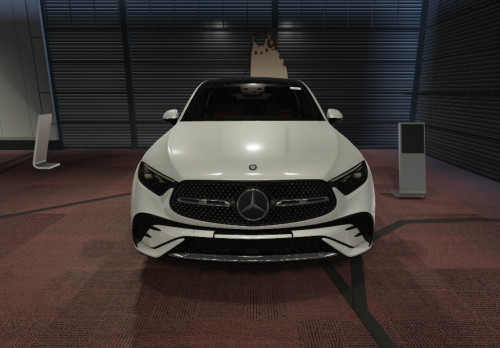
2022 BMW M550i G30 1.0.0

(21 reviews)

3 Screenshots

if you guys haven't already noticed i don't post on darkblox as much because my server has more posts
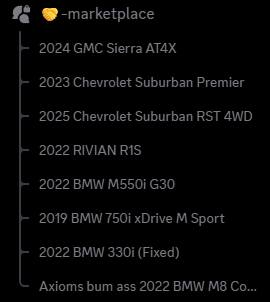
image.png

if you want to join just dm me your discord
and to uxbridge or whoever the fuck you are ☠️ you can use the asseted assets all you want son but selling others gamepasses to use asseted assets is morbid 😹

if you ever use the assets i asset for some sort of money trap like this;
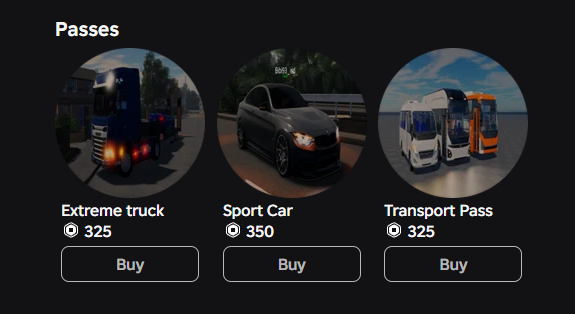
Ekran görüntüsü 2026-05-22 215432.png

then you can reconsider your life choices!!!!!

much love to the darkblox community

User Feedback

Recommended Comments

ZaImposter

Member

I wanna join ur discord my user is also_zaimposter

bl4tzz

Active Member

my discord user is xle.tech

can i join ur discord server please.

Raphyy

Member

hello please invite me my id is : .218.

starxs

Orbit Access

  • Orbit Access

how do i join your server

Btw My User Is starsfr.2

hello pls invite me my discord user is asuna2234s

Slumpz

Active Member

yo lemme get the discord server please. User: goldfish_gobbler9000

Woozieee

Member

add me on discord my user is 1crazy_kia

Nooneiskool

Pro Access

  • Pro Access

can i join your server?
user: nooneiskool

FUCKLAKESHORE

Active Member

yo users taxedong

On 6/3/2026 at 10:24 AM, dime said:

send ur discord

ry4n.gzmxn_

TylerMX

Member

could i perchance get an invite to that discord server? my tag is f80.swervo

Could you add me to the server or send me the link?: .hellofellas

hey! my discord user is poero35 add me please

SavageGirlD03

Active Member

let me join mines dinte_so_savage

josh2dolooo

Member

can you add me please :ceogaffle

5ypl

Member

On 6/3/2026 at 4:24 PM, dime said:

send ur discord

hello my user is 5ypl, thanks.

Create an account or sign in to comment

Other files from dime


Powered by darkblox.net

Account

Navigation

Search

Search

Configure browser push notifications

Chrome (Android)
  1. Tap the lock icon next to the address bar.
  2. Tap Permissions → Notifications.
  3. Adjust your preference.
Chrome (Desktop)
  1. Click the padlock icon in the address bar.
  2. Select Site settings.
  3. Find Notifications and adjust your preference.