Skip to content
Do not create multi-accounts, you will be blocked!

2010 Chevrolet Corvette ZR1 1.0.0

(0 reviews)

3 Screenshots

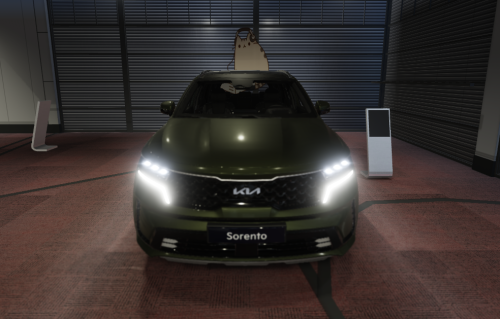
THE PICTURES ABOVE ARE MY VERSION OF THE CORVETTE, FYI!!! THE FILE I'VE UPLOADED IS A DIFFERENT COLOR, SPEC ETC.
one of the best corvettes ever made on roblox

features:

a-chassis 1.5 (kinda a bummer)

whitelist feature (can have more than 1 owner)

special message when u start the car (you'll see when u open the configuration file)

great modelling

8/10 overall
User Feedback

Recommended Comments

dieguito

Active Member

my personal corvette lolCaptura de pantalla 2026-04-22 202313.png

dime

Active Member

12 minutes ago, averageuser said:

my personal corvette lolCaptura de pantalla 2026-04-22 202313.png

nigga this isnt ur version dieguito 😭ik it looks similiar i js added the lip and made my own plate on it with another license plate creator plugin 💔

i had the jet bluestream thing

Micahburger02

Active Member

can we have your map plsss <3

dime

Active Member

1 hour ago, Micahburger02 said:

can we have your map plsss <3

its heat unite already posted in darkblox

Micahburger02

Active Member

yo thanks man I appreciate that

dieguito

Active Member

On 4/23/2026 at 4:51 PM, dime said:

nigga this isnt ur version dieguito 😭ik it looks similiar i js added the lip and made my own plate on it with another license plate creator plugin 💔

i had the jet bluestream thing

nigga at least give me credits bro since I fixed the corvette

I’m tryna join your discord server but couldn’t dm you for some reason

jagwant

Active Member

how do u start it

Guest

Guest

Guests

how do i start

bigboozted011

Active Member

havent done anything to it yet but im gonna be making Z06 and base model stuff for it soon. good base tbh

{39489358-B625-4689-A359-C856C67872D2}.png

Create an account or sign in to comment

Other files from dime


Powered by darkblox.net

Account

Navigation

Search

Search

Configure browser push notifications

Chrome (Android)
  1. Tap the lock icon next to the address bar.
  2. Tap Permissions → Notifications.
  3. Adjust your preference.
Chrome (Desktop)
  1. Click the padlock icon in the address bar.
  2. Select Site settings.
  3. Find Notifications and adjust your preference.