Registration is limited to Google Gmail & MailRU & Yahoo & Yandex email addresses.
Do not create multi-accounts, you will be blocked!
All Activity
Past hour
-
rightladw 222 joined the community
-
gcatjade16 joined the community
-
smigglessss changed their profile photo
-
Hamish Gladding changed their profile photo
-
.thumb.webp.a5f1b5701ba2afc84b31e20ec94141b7.webp) Oh wow!
Oh wow! -
.thumb.webp.fd3c70012ee9a236f47a8af7d093f11f.webp) MCRD Parris Island, South Carolina [Save Instanced]Heads up! I did NOT create this game, I only Save Instanced and uploaded it to DarkBlox for others to be able to have access to and use the file. All credits belong to the original owners, creators, and developers of the game. Enjoy and happy developing! 😃 You can make a Save Instance request by creating a Support Ticket within the [VS] Visionary Studios Discord Server (https://discord.gg/D3GusB9qWK). Disclaimers:I am not responsible for the quality of the game. I am not responsible for any bugs or missing assets, models, scripts, etc. I am not required to provide any additional support on how to make the game work. (BUT I am always willing to TRY my best to help you with any questions/issues you may have via DarkBlox Messages or Discord (@austinparks)) Before You Play:For the best chance of the game working, please ensure the following: You have published the game to Roblox. You have enabled HTTP Requests. You have enabled Studio Access to API services. Additional Notes:Based on the game, you may also need to do the following to ensure it works properly: Spoof or replace any missing animations. Replace any missing/deleted IDs for assets, animations, audios, decals, etc. Change the character rig type from R15 to R6 or vice versa Be sure to also check out the “THANK YOU!” script in the Explorer for possible solutions to other common problems.Free
MCRD Parris Island, South Carolina [Save Instanced]Heads up! I did NOT create this game, I only Save Instanced and uploaded it to DarkBlox for others to be able to have access to and use the file. All credits belong to the original owners, creators, and developers of the game. Enjoy and happy developing! 😃 You can make a Save Instance request by creating a Support Ticket within the [VS] Visionary Studios Discord Server (https://discord.gg/D3GusB9qWK). Disclaimers:I am not responsible for the quality of the game. I am not responsible for any bugs or missing assets, models, scripts, etc. I am not required to provide any additional support on how to make the game work. (BUT I am always willing to TRY my best to help you with any questions/issues you may have via DarkBlox Messages or Discord (@austinparks)) Before You Play:For the best chance of the game working, please ensure the following: You have published the game to Roblox. You have enabled HTTP Requests. You have enabled Studio Access to API services. Additional Notes:Based on the game, you may also need to do the following to ensure it works properly: Spoof or replace any missing animations. Replace any missing/deleted IDs for assets, animations, audios, decals, etc. Change the character rig type from R15 to R6 or vice versa Be sure to also check out the “THANK YOU!” script in the Explorer for possible solutions to other common problems.Free -
MCRD Parris Island, South Carolina [Save Instanced] MCRD Parris Island, South Carolina [Save Instanced]Heads up! I did NOT create this game, I only Save Instanced and uploaded it to DarkBlox for others to be able to have access to and use the file. All credits belong to the original owners, creators, and developers of the game. Enjoy and happy developing! 😃 You can make a Save Instance request by creating a Support Ticket within the [VS] Visionary Studios Discord Server (https://discord.gg/D3GusB9qWK). Disclaimers:I am not responsible for the quality of the game. I am not responsible for any bugs or missing assets, models, scripts, etc. I am not required to provide any additional support on how to make the game work. (BUT I am always willing to TRY my best to help you with any questions/issues you may have via DarkBlox Messages or Discord (@austinparks)) Before You Play:For the best chance of the game working, please ensure the following: You have published the game to Roblox. You have enabled HTTP Requests. You have enabled Studio Access to API services. Additional Notes:Based on the game, you may also need to do the following to ensure it works properly: Spoof or replace any missing animations. Replace any missing/deleted IDs for assets, animations, audios, decals, etc. Change the character rig type from R15 to R6 or vice versa Be sure to also check out the “THANK YOU!” script in the Explorer for possible solutions to other common problems. File Information Submitter Austin Parks Submitted 10/05/26 Category Dexxed & Maps View File
-
jabgsk joined the community
-
Lamx Habx joined the community
-
Canada Tactical joined the community
-
Kevin Kev joined the community
-
Last Horror joined the community
-
Sejens joined the community
-
mr sneakers joined the community
-
DisplayName9 joined the community
Today
-
Silo the Bilo changed their profile photo
-
Victor Hugo Santos Pacheco changed their profile photo
-
-
-
stephanie changed their profile photo
-
Easton Wimmer changed their profile photo
-
Yesterday
-
-
-
z_rv changed their profile photo
-
 listen just a little tip if you dont want be be banned turn off autosave and make sure you dont save to Roblox or publish to Roblox or collab you should be good if you follow those tips!
- 1 comment
- 3 reviews
-
Genesis Querida changed their profile photo
-
-
-
Sonders Night Vision Device System https://clearlydev.com/product/sonders-night-vision-device-system
-
Mubeen changed their profile photo
-
-
xiaomi 11t hype changed their profile photo
-
-
-
-
-
they had a community for this, was pretty fun
-
-
-
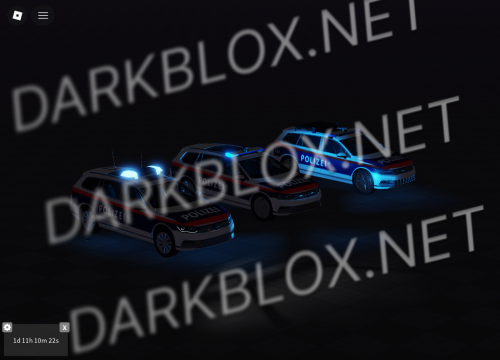 Hi sry das ich nerve kommt das pack noch als rbxm ?
 -
-
hi dude, do you know how I set this up?
-
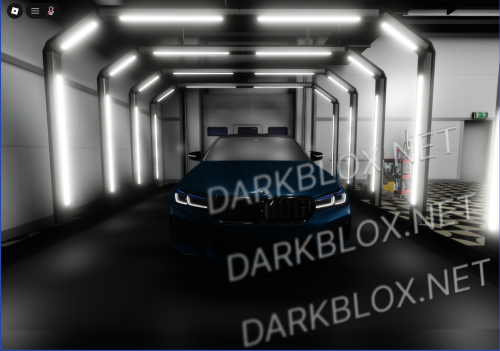 its maxxy but its max for darkblox
 -
haha mine name