Registration is limited to Google Gmail & MailRU & Yahoo & Yandex email addresses.
Do not create multi-accounts, you will be blocked!
All Activity
Past hour
-
ABOBUS_PaBlyo joined the community
-
idkandidc joined the community
-
jisu umi joined the community
-
skarz changed their profile photo
-
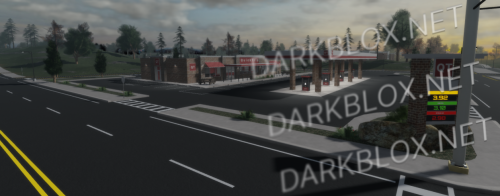 Game Link!
 -
Yes
-
It Do Work bec i made it So IF you can Show Proof of it not working Or Fix it Yourstf
-
-
-
Daniel25 joined the community
-
cristian gonzalez joined the community
-
jozi moths joined the community
-
Icrack joined the community
-
Xander Kelly joined the community
Today
-
yeayea joined the community
-
.thumb.webp.4d8711ad546794a70888fae908ed32a2.webp) Rensselaer County [Save Instanced]Heads up! I did NOT create this game, I only Save Instanced and uploaded it to DarkBlox for others to be able to have access to and use the file. All credits belong to the original owners, creators, and developers of the game. Enjoy and happy developing! 😃 You can make a Save Instance request by creating a Support Ticket within the [VS] Visionary Studios Discord Server (https://discord.gg/D3GusB9qWK). Disclaimers:I am not responsible for the quality of the game. I am not responsible for any bugs or missing assets, models, scripts, etc. I am not required to provide any additional support on how to make the game work. (BUT I am always willing to TRY my best to help you with any questions/issues you may have via DarkBlox Messages or Discord (@austinparks)) Before You Play:For the best chance of the game working, please ensure the following: You have published the game to Roblox. You have enabled HTTP Requests. You have enabled Studio Access to API services. Additional Notes:Based on the game, you may also need to do the following to ensure it works properly: Spoof or replace any missing animations. Replace any missing/deleted IDs for assets, animations, audios, decals, etc. Change the character rig type from R15 to R6 or vice versa Be sure to also check out the “THANK YOU!” script in the Explorer for possible solutions to other common problems.Free
Rensselaer County [Save Instanced]Heads up! I did NOT create this game, I only Save Instanced and uploaded it to DarkBlox for others to be able to have access to and use the file. All credits belong to the original owners, creators, and developers of the game. Enjoy and happy developing! 😃 You can make a Save Instance request by creating a Support Ticket within the [VS] Visionary Studios Discord Server (https://discord.gg/D3GusB9qWK). Disclaimers:I am not responsible for the quality of the game. I am not responsible for any bugs or missing assets, models, scripts, etc. I am not required to provide any additional support on how to make the game work. (BUT I am always willing to TRY my best to help you with any questions/issues you may have via DarkBlox Messages or Discord (@austinparks)) Before You Play:For the best chance of the game working, please ensure the following: You have published the game to Roblox. You have enabled HTTP Requests. You have enabled Studio Access to API services. Additional Notes:Based on the game, you may also need to do the following to ensure it works properly: Spoof or replace any missing animations. Replace any missing/deleted IDs for assets, animations, audios, decals, etc. Change the character rig type from R15 to R6 or vice versa Be sure to also check out the “THANK YOU!” script in the Explorer for possible solutions to other common problems.Free -
Rensselaer County [Save Instanced] Rensselaer County [Save Instanced]Heads up! I did NOT create this game, I only Save Instanced and uploaded it to DarkBlox for others to be able to have access to and use the file. All credits belong to the original owners, creators, and developers of the game. Enjoy and happy developing! 😃 You can make a Save Instance request by creating a Support Ticket within the [VS] Visionary Studios Discord Server (https://discord.gg/D3GusB9qWK). Disclaimers:I am not responsible for the quality of the game. I am not responsible for any bugs or missing assets, models, scripts, etc. I am not required to provide any additional support on how to make the game work. (BUT I am always willing to TRY my best to help you with any questions/issues you may have via DarkBlox Messages or Discord (@austinparks)) Before You Play:For the best chance of the game working, please ensure the following: You have published the game to Roblox. You have enabled HTTP Requests. You have enabled Studio Access to API services. Additional Notes:Based on the game, you may also need to do the following to ensure it works properly: Spoof or replace any missing animations. Replace any missing/deleted IDs for assets, animations, audios, decals, etc. Change the character rig type from R15 to R6 or vice versa Be sure to also check out the “THANK YOU!” script in the Explorer for possible solutions to other common problems. File Information Submitter Austin Parks Submitted 10/25/26 Category Dexxed & Maps View File
-
CavedInChest changed their profile photo
-
.thumb.webp.e946291dc9154f80909607fa1d694d12.webp) It's crazy that the part of the map I needed was cut off.
It's crazy that the part of the map I needed was cut off. -
benrichie_ Minecraft and roblox channel changed their profile photo
-
Zimbabwee changed their profile photo
-
Julian D changed their profile photo
-
.thumb.webp.ceca0f95e0f8a94b122091e189b4723e.webp) Dragon Ball RP: Xeno [Save Instanced]Heads up! I did NOT create this game, I only Save Instanced and uploaded it to DarkBlox for others to be able to have access to and use the file. All credits belong to the original owners, creators, and developers of the game. Enjoy and happy developing! 😃 You can make a Save Instance request by creating a Support Ticket within the [VS] Visionary Studios Discord Server (https://discord.gg/D3GusB9qWK). Disclaimers:I am not responsible for the quality of the game. I am not responsible for any bugs or missing assets, models, scripts, etc. I am not required to provide any additional support on how to make the game work. (BUT I am always willing to TRY my best to help you with any questions/issues you may have via DarkBlox Messages or Discord (@austinparks)) Before You Play:For the best chance of the game working, please ensure the following: You have published the game to Roblox. You have enabled HTTP Requests. You have enabled Studio Access to API services. Additional Notes:Based on the game, you may also need to do the following to ensure it works properly: Spoof or replace any missing animations. Replace any missing/deleted IDs for assets, animations, audios, decals, etc. Change the character rig type from R15 to R6 or vice versa Be sure to also check out the “THANK YOU!” script in the Explorer for possible solutions to other common problems.Free
Dragon Ball RP: Xeno [Save Instanced]Heads up! I did NOT create this game, I only Save Instanced and uploaded it to DarkBlox for others to be able to have access to and use the file. All credits belong to the original owners, creators, and developers of the game. Enjoy and happy developing! 😃 You can make a Save Instance request by creating a Support Ticket within the [VS] Visionary Studios Discord Server (https://discord.gg/D3GusB9qWK). Disclaimers:I am not responsible for the quality of the game. I am not responsible for any bugs or missing assets, models, scripts, etc. I am not required to provide any additional support on how to make the game work. (BUT I am always willing to TRY my best to help you with any questions/issues you may have via DarkBlox Messages or Discord (@austinparks)) Before You Play:For the best chance of the game working, please ensure the following: You have published the game to Roblox. You have enabled HTTP Requests. You have enabled Studio Access to API services. Additional Notes:Based on the game, you may also need to do the following to ensure it works properly: Spoof or replace any missing animations. Replace any missing/deleted IDs for assets, animations, audios, decals, etc. Change the character rig type from R15 to R6 or vice versa Be sure to also check out the “THANK YOU!” script in the Explorer for possible solutions to other common problems.Free -
Dragon Ball RP: Xeno [Save Instanced] Dragon Ball RP: Xeno [Save Instanced]Heads up! I did NOT create this game, I only Save Instanced and uploaded it to DarkBlox for others to be able to have access to and use the file. All credits belong to the original owners, creators, and developers of the game. Enjoy and happy developing! 😃 You can make a Save Instance request by creating a Support Ticket within the [VS] Visionary Studios Discord Server (https://discord.gg/D3GusB9qWK). Disclaimers:I am not responsible for the quality of the game. I am not responsible for any bugs or missing assets, models, scripts, etc. I am not required to provide any additional support on how to make the game work. (BUT I am always willing to TRY my best to help you with any questions/issues you may have via DarkBlox Messages or Discord (@austinparks)) Before You Play:For the best chance of the game working, please ensure the following: You have published the game to Roblox. You have enabled HTTP Requests. You have enabled Studio Access to API services. Additional Notes:Based on the game, you may also need to do the following to ensure it works properly: Spoof or replace any missing animations. Replace any missing/deleted IDs for assets, animations, audios, decals, etc. Change the character rig type from R15 to R6 or vice versa Be sure to also check out the “THANK YOU!” script in the Explorer for possible solutions to other common problems. File Information Submitter Austin Parks Submitted 10/25/26 Category Dexxed & Maps View File
-
What seems to be the issue downloading the file?
-
theres so much sonder exclusive stuff yet nobody pays any attention to it.
-
Fazbear Entertainment The Roleplay [Save Instanced] Fazbear Entertainment The Roleplay [Save Instanced]Heads up! I did NOT create this game, I only Save Instanced and uploaded it to DarkBlox for others to be able to have access to and use the file. All credits belong to the original owners, creators, and developers of the game. Enjoy and happy developing! 😃 You can make a Save Instance request by creating a Support Ticket within the [VS] Visionary Studios Discord Server (https://discord.gg/D3GusB9qWK). Disclaimers:I am not responsible for the quality of the game. I am not responsible for any bugs or missing assets, models, scripts, etc. I am not required to provide any additional support on how to make the game work. (BUT I am always willing to TRY my best to help you with any questions/issues you may have via DarkBlox Messages or Discord (@austinparks)) Before You Play:For the best chance of the game working, please ensure the following: You have published the game to Roblox. You have enabled HTTP Requests. You have enabled Studio Access to API services. Additional Notes:Based on the game, you may also need to do the following to ensure it works properly: Spoof or replace any missing animations. Replace any missing/deleted IDs for assets, animations, audios, decals, etc. Change the character rig type from R15 to R6 or vice versa Be sure to also check out the “THANK YOU!” script in the Explorer for possible solutions to other common problems. File Information Submitter Austin Parks Submitted 10/25/26 Category Dexxed & Maps View File
-
Fazbear Entertainment The Roleplay [Save Instanced]Heads up! I did NOT create this game, I only Save Instanced and uploaded it to DarkBlox for others to be able to have access to and use the file. All credits belong to the original owners, creators, and developers of the game. Enjoy and happy developing! 😃 You can make a Save Instance request by creating a Support Ticket within the [VS] Visionary Studios Discord Server (https://discord.gg/D3GusB9qWK). Disclaimers:I am not responsible for the quality of the game. I am not responsible for any bugs or missing assets, models, scripts, etc. I am not required to provide any additional support on how to make the game work. (BUT I am always willing to TRY my best to help you with any questions/issues you may have via DarkBlox Messages or Discord (@austinparks)) Before You Play:For the best chance of the game working, please ensure the following: You have published the game to Roblox. You have enabled HTTP Requests. You have enabled Studio Access to API services. Additional Notes:Based on the game, you may also need to do the following to ensure it works properly: Spoof or replace any missing animations. Replace any missing/deleted IDs for assets, animations, audios, decals, etc. Change the character rig type from R15 to R6 or vice versa Be sure to also check out the “THANK YOU!” script in the Explorer for possible solutions to other common problems.Free
-
-
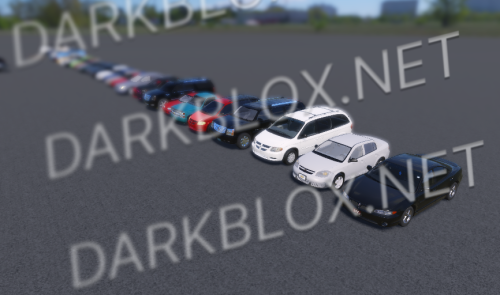
Huge car pack lol eddie ggs for u File Information Submitter Sixseriess Submitted 10/25/26 Category Cars View File
-
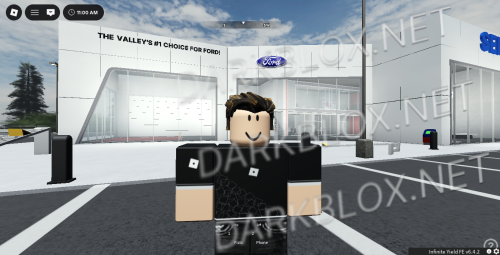 Washington STATE [Save Instanced]Heads up! I did NOT create this game, I only Save Instanced and uploaded it to DarkBlox for others to be able to have access to and use the file. All credits belong to the original owners, creators, and developers of the game. Enjoy and happy developing! 😃 You can make a Save Instance request by creating a Support Ticket within the [VS] Visionary Studios Discord Server (https://discord.gg/D3GusB9qWK). Disclaimers:I am not responsible for the quality of the game. I am not responsible for any bugs or missing assets, models, scripts, etc. I am not required to provide any additional support on how to make the game work. (BUT I am always willing to TRY my best to help you with any questions/issues you may have via DarkBlox Messages or Discord (@austinparks)) Before You Play:For the best chance of the game working, please ensure the following: You have published the game to Roblox. You have enabled HTTP Requests. You have enabled Studio Access to API services. Additional Notes:Based on the game, you may also need to do the following to ensure it works properly: Spoof or replace any missing animations. Replace any missing/deleted IDs for assets, animations, audios, decals, etc. Change the character rig type from R15 to R6 or vice versa Be sure to also check out the “THANK YOU!” script in the Explorer for possible solutions to other common problems.Free
 -
Washington STATE [Save Instanced] Washington STATE [Save Instanced]Heads up! I did NOT create this game, I only Save Instanced and uploaded it to DarkBlox for others to be able to have access to and use the file. All credits belong to the original owners, creators, and developers of the game. Enjoy and happy developing! 😃 You can make a Save Instance request by creating a Support Ticket within the [VS] Visionary Studios Discord Server (https://discord.gg/D3GusB9qWK). Disclaimers:I am not responsible for the quality of the game. I am not responsible for any bugs or missing assets, models, scripts, etc. I am not required to provide any additional support on how to make the game work. (BUT I am always willing to TRY my best to help you with any questions/issues you may have via DarkBlox Messages or Discord (@austinparks)) Before You Play:For the best chance of the game working, please ensure the following: You have published the game to Roblox. You have enabled HTTP Requests. You have enabled Studio Access to API services. Additional Notes:Based on the game, you may also need to do the following to ensure it works properly: Spoof or replace any missing animations. Replace any missing/deleted IDs for assets, animations, audios, decals, etc. Change the character rig type from R15 to R6 or vice versa Be sure to also check out the “THANK YOU!” script in the Explorer for possible solutions to other common problems. File Information Submitter Austin Parks Submitted 10/25/26 Category Dexxed & Maps View File
-
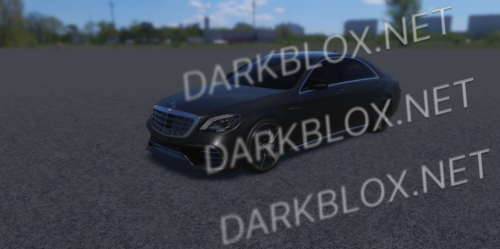 can i join the discord
 -
Immortal Horus changed their profile photo
-
Kokos Kokos changed their profile photo
-
Spidzz Juy changed their profile photo
-
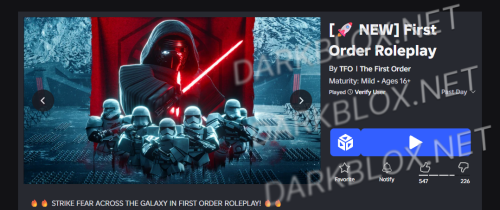 saying the n word makes you so cool i wanna be like you someday
 -
yeah you can use it but only credit me please.
-
alexlikesexamina changed their profile photo
-
Axavsa changed their profile photo
-
.thumb.webp.fb7b735d491babdbddf70939e22cc6d7.webp) Im sorry, but, isn't this file just the lobby of the game? It doesn't even contain the actual maps.
Im sorry, but, isn't this file just the lobby of the game? It doesn't even contain the actual maps.- 3 comments
- 2 reviews
-
-
more rigs??
-
 make it free















345345.thumb.png.128276f90843e995b8d4a0024b4b7abf.png)