Registration is limited to Google Gmail & MailRU & Yahoo & Yandex email addresses.
Do not create multi-accounts, you will be blocked!
All Activity
Past hour
-
KILEN PARDS changed their profile photo
-
TheNeoNovo joined the community
-
Jp Henry joined the community
-
Andrew Murphy Smith Lewis joined the community
-
dawdawdawda23155 joined the community
-
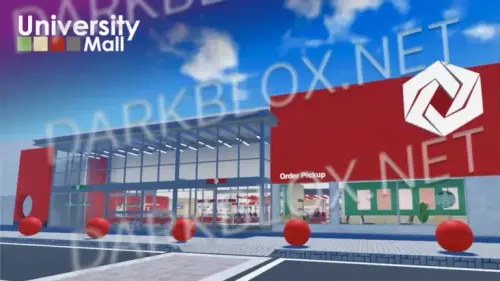 University Mall [Save Instanced]Heads up! I did NOT create this game, I only Save Instanced and uploaded it to DarkBlox for others to be able to have access to and use the file. All credits belong to the original owners, creators, and developers of the game. Enjoy and happy developing! 😃 You can make a Save Instance request by creating a Support Ticket within the [VS] Visionary Studios Discord Server (https://discord.gg/D3GusB9qWK). Disclaimers:I am not responsible for the quality of the game. I am not responsible for any bugs or missing assets, models, scripts, etc. I am not required to provide any additional support on how to make the game work. (BUT I am always willing to TRY my best to help you with any questions/issues you may have via DarkBlox Messages or Discord (@austinparks)) Before You Play:For the best chance of the game working, please ensure the following: You have published the game to Roblox. You have enabled HTTP Requests. You have enabled Studio Access to API services. Additional Notes:Based on the game, you may also need to do the following to ensure it works properly: Spoof or replace any missing animations. Replace any missing/deleted IDs for assets, animations, audios, decals, etc. Change the character rig type from R15 to R6 or vice versa Be sure to also check out the “THANK YOU!” script in the Explorer for possible solutions to other common problems.Free
 -
University Mall [Save Instanced] University Mall [Save Instanced]Heads up! I did NOT create this game, I only Save Instanced and uploaded it to DarkBlox for others to be able to have access to and use the file. All credits belong to the original owners, creators, and developers of the game. Enjoy and happy developing! 😃 You can make a Save Instance request by creating a Support Ticket within the [VS] Visionary Studios Discord Server (https://discord.gg/D3GusB9qWK). Disclaimers:I am not responsible for the quality of the game. I am not responsible for any bugs or missing assets, models, scripts, etc. I am not required to provide any additional support on how to make the game work. (BUT I am always willing to TRY my best to help you with any questions/issues you may have via DarkBlox Messages or Discord (@austinparks)) Before You Play:For the best chance of the game working, please ensure the following: You have published the game to Roblox. You have enabled HTTP Requests. You have enabled Studio Access to API services. Additional Notes:Based on the game, you may also need to do the following to ensure it works properly: Spoof or replace any missing animations. Replace any missing/deleted IDs for assets, animations, audios, decals, etc. Change the character rig type from R15 to R6 or vice versa Be sure to also check out the “THANK YOU!” script in the Explorer for possible solutions to other common problems. File Information Submitter Austin Parks Submitted 10/16/26 Category Dexxed & Maps View File
-
mars 11 joined the community
-
Virtue Dummy joined the community
Today
-
davidprogamer949 changed their profile photo
-
nakbin changed their profile photo
-
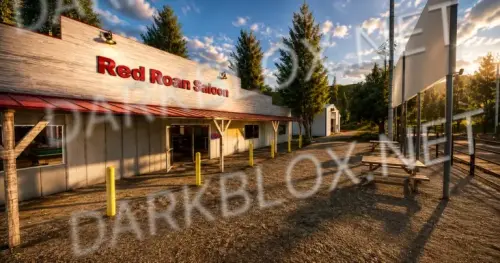 Rodeo Simulator [Save Instanced]Heads up! I did NOT create this game, I only Save Instanced and uploaded it to DarkBlox for others to be able to have access to and use the file. All credits belong to the original owners, creators, and developers of the game. Enjoy and happy developing! 😃 You can make a Save Instance request by creating a Support Ticket within the [VS] Visionary Studios Discord Server (https://discord.gg/D3GusB9qWK). Disclaimers:I am not responsible for the quality of the game. I am not responsible for any bugs or missing assets, models, scripts, etc. I am not required to provide any additional support on how to make the game work. (BUT I am always willing to TRY my best to help you with any questions/issues you may have via DarkBlox Messages or Discord (@austinparks)) Before You Play:For the best chance of the game working, please ensure the following: You have published the game to Roblox. You have enabled HTTP Requests. You have enabled Studio Access to API services. Additional Notes:Based on the game, you may also need to do the following to ensure it works properly: Spoof or replace any missing animations. Replace any missing/deleted IDs for assets, animations, audios, decals, etc. Change the character rig type from R15 to R6 or vice versa Be sure to also check out the “THANK YOU!” script in the Explorer for possible solutions to other common problems.Free
 -
Rodeo Simulator [Save Instanced] Rodeo Simulator [Save Instanced]Heads up! I did NOT create this game, I only Save Instanced and uploaded it to DarkBlox for others to be able to have access to and use the file. All credits belong to the original owners, creators, and developers of the game. Enjoy and happy developing! 😃 You can make a Save Instance request by creating a Support Ticket within the [VS] Visionary Studios Discord Server (https://discord.gg/D3GusB9qWK). Disclaimers:I am not responsible for the quality of the game. I am not responsible for any bugs or missing assets, models, scripts, etc. I am not required to provide any additional support on how to make the game work. (BUT I am always willing to TRY my best to help you with any questions/issues you may have via DarkBlox Messages or Discord (@austinparks)) Before You Play:For the best chance of the game working, please ensure the following: You have published the game to Roblox. You have enabled HTTP Requests. You have enabled Studio Access to API services. Additional Notes:Based on the game, you may also need to do the following to ensure it works properly: Spoof or replace any missing animations. Replace any missing/deleted IDs for assets, animations, audios, decals, etc. Change the character rig type from R15 to R6 or vice versa Be sure to also check out the “THANK YOU!” script in the Explorer for possible solutions to other common problems. File Information Submitter Austin Parks Submitted 10/16/26 Category Dexxed & Maps View File
-
 Dont worry man i gotchu https://dosya.co/s83scqcovxpt/AB2_Source.7z.html password:ab2 has all anims, listed by folder and folder rightly only ak74m works without spoof in this game as far as i remember.? by the way, use ai bots to fix game its so cool and good just do MCP and be spesific one of the worst problem Remote Door Control Beep and door closing sounds are getting heared by everyone (it has no far system) Tesla deactivation doesn't work as MTFs when you equip a gun and disarm it, it will still show up as it is in your hands, people will see it but you see no hand (server) I can't really say vests and helmet's does protect. theres a infinite ammo bug, when you get a fully unloaded gun, drop and equip back current magazine will be full.
- 18 comments
- 11 reviews
-
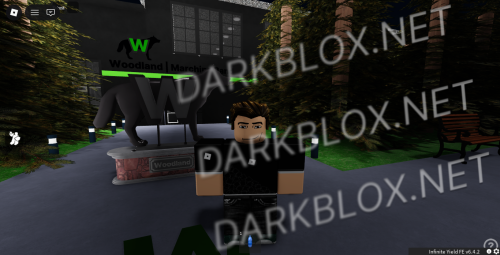 WoodLand Marching Band [Save Instanced]Heads up! I did NOT create this game, I only Save Instanced and uploaded it to DarkBlox for others to be able to have access to and use the file. All credits belong to the original owners, creators, and developers of the game. Enjoy and happy developing! 😃 You can make a Save Instance request by creating a Support Ticket within the [VS] Visionary Studios Discord Server (https://discord.gg/D3GusB9qWK). Disclaimers:I am not responsible for the quality of the game. I am not responsible for any bugs or missing assets, models, scripts, etc. I am not required to provide any additional support on how to make the game work. (BUT I am always willing to TRY my best to help you with any questions/issues you may have via DarkBlox Messages or Discord (@austinparks)) Before You Play:For the best chance of the game working, please ensure the following: You have published the game to Roblox. You have enabled HTTP Requests. You have enabled Studio Access to API services. Additional Notes:Based on the game, you may also need to do the following to ensure it works properly: Spoof or replace any missing animations. Replace any missing/deleted IDs for assets, animations, audios, decals, etc. Change the character rig type from R15 to R6 or vice versa Be sure to also check out the “THANK YOU!” script in the Explorer for possible solutions to other common problems.Free
 -
WoodLand Marching Band [Save Instanced] WoodLand Marching Band [Save Instanced]Heads up! I did NOT create this game, I only Save Instanced and uploaded it to DarkBlox for others to be able to have access to and use the file. All credits belong to the original owners, creators, and developers of the game. Enjoy and happy developing! 😃 You can make a Save Instance request by creating a Support Ticket within the [VS] Visionary Studios Discord Server (https://discord.gg/D3GusB9qWK). Disclaimers:I am not responsible for the quality of the game. I am not responsible for any bugs or missing assets, models, scripts, etc. I am not required to provide any additional support on how to make the game work. (BUT I am always willing to TRY my best to help you with any questions/issues you may have via DarkBlox Messages or Discord (@austinparks)) Before You Play:For the best chance of the game working, please ensure the following: You have published the game to Roblox. You have enabled HTTP Requests. You have enabled Studio Access to API services. Additional Notes:Based on the game, you may also need to do the following to ensure it works properly: Spoof or replace any missing animations. Replace any missing/deleted IDs for assets, animations, audios, decals, etc. Change the character rig type from R15 to R6 or vice versa Be sure to also check out the “THANK YOU!” script in the Explorer for possible solutions to other common problems. File Information Submitter Austin Parks Submitted 10/16/26 Category Dexxed & Maps View File
-
-
edgar martins de oliveira changed their profile photo
-
cleosvy changed their profile photo
-
king changed their profile photo
-
THIS IS OUTDATED, CHECK MY PROFILE FOR FULL BD REVAMP CHARACTER PACK AND ALL MAPS!
-
check my account i have full bd revamp characters pack
-
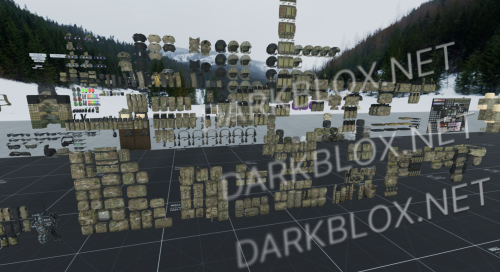 Whats the point of using this knowing you're gonna get DMCA'd and or laughed at because literally everyone knows this is the nova asset...
- 36 comments
- 5 reviews
-
 yo do you got these on anything other than mega because it wont let my download shit
 -
lolpoil changed their profile photo
-
-
Tucker Black changed their profile photo
-
MinhaConta Roblox changed their profile photo
-
.thumb.webp.73c5f823caaba1342f5d46d55c1dda88.webp) Never mind, I am just incredibly dumb with the animations. It all works perfectly.
Never mind, I am just incredibly dumb with the animations. It all works perfectly.- 87 comments
- 3 reviews
-
dyrak_debil changed their profile photo
-
Ur just dumb thats why legit why u even on here if u dont know basic principles of developing?
-
Yesterday
-
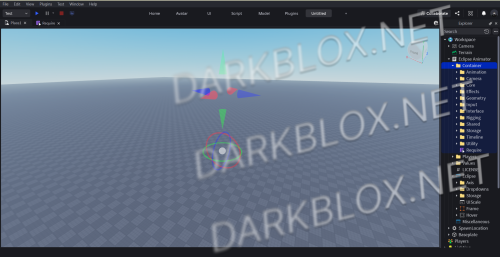 just downloaded my file and just save it as local plugin, there you go, free eclipse plugin forever and you can fully customize it
 -
-
-
-
file doesnt work
-
Heads up, the plugin is still free so grab a copy while you can: https://create.roblox.com/store/asset/86116556258301/Eclipse-Animator
-
Well it's like 10 bucks
-
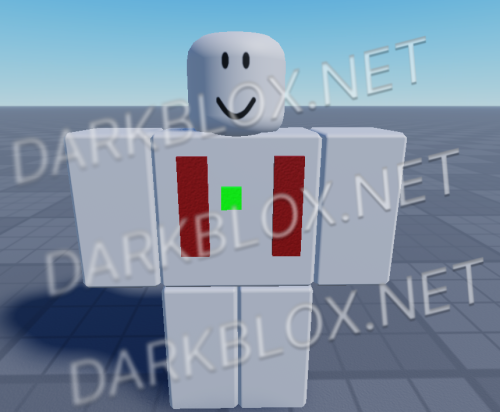 just updated to version 1.5, rn in moderation, if u used the gun system (lite) you will have to replace all script and add the new ones since i modified the old scripts, very very big update o algo, and if u have any suggestions or question (mostly bc the instructions are ins spanish) just tell me.
- 4 comments
- 2 reviews
-
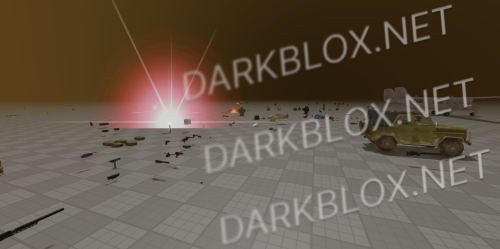 could you do the estiona map or the city one










.thumb.png.5d05ae2b91138b8899d377fb23128cf7.png)