Registration is limited to Google Gmail & MailRU & Yahoo & Yandex email addresses.
Do not create multi-accounts, you will be blocked!
All Activity
Past hour
-
-
naruto.baklazhan joined the community
-
tea Flowers joined the community
-
Chamoun Chamoun joined the community
-
Mahasamut joined the community
-
Melek joined the community
-
Hori 158 joined the community
-
Ohayo 123 joined the community
-
Kathapon Anuson joined the community
-
get some more working nz roblox assets g
-
NoLimits Reborn joined the community
-
if someone was able to asset this in any way, would help out a lot for most people, thx https://skaterstudios.com/b/dynamicmovementsystem
-
-
JOJOEKUNG112233 changed their profile photo
Today
-
Saye_ade kucing_5ekor changed their profile photo
-
xZippyx changed their profile photo
-
-
-
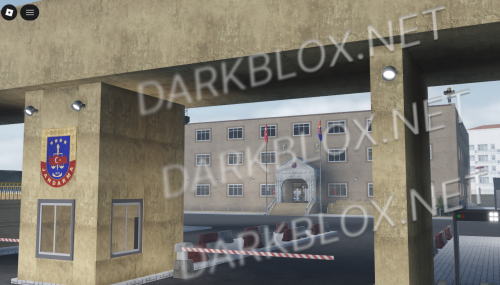 kurdistan diye bişey yok ama :)
 -
Lord Maestro changed their profile photo
-
TalkingSqaud changed their profile photo
-
-
Sturmbaerg changed their profile photo
-
Loli Poli changed their profile photo
-
-
-
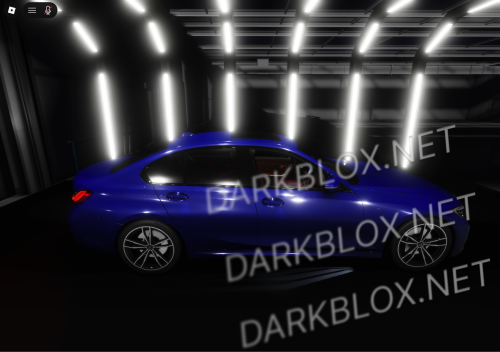 the ui in the vehicle isnt appearing its just black
 -
-
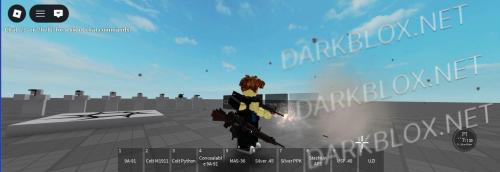 Okay so i just checked the file today and i found out how i can get in it to make it work and shit, its fixed now, i wish i could revert my review but oh well
- 8 comments
- 1 review
-
-
Pls https://payhip.com/b/Friqy https://payhip.com/b/Friqy
-
-
-
-
NN42142 changed their profile photo
-
dxerqo changed their profile photo
-
Fel changed their profile photo
-
how u start
-
Hondo you got any R6 Star wars stuff?
-
-
https://www.roblox.com/games/134054722491626/The-Valley
-
АЫВ
-
-
.thumb.webp.77bfffebc48fdf1e8bac1ab6eba86c8b.webp) Project: Afternight [Save Instanced]Heads up! I did NOT create this game, I only Save Instanced and uploaded it to DarkBlox for others to be able to have access to and use the file. All credits belong to the original owners, creators, and developers of the game. Enjoy and happy developing! 😃 You can make a Save Instance request by creating a Support Ticket within the [VS] Visionary Studios Discord Server (https://discord.gg/D3GusB9qWK). Disclaimers:I am not responsible for the quality of the game. I am not responsible for any bugs or missing assets, models, scripts, etc. I am not required to provide any additional support on how to make the game work. (BUT I am always willing to TRY my best to help you with any questions/issues you may have via DarkBlox Messages or Discord (@austinparks)) Before You Play:For the best chance of the game working, please ensure the following: You have published the game to Roblox. You have enabled HTTP Requests. You have enabled Studio Access to API services. Additional Notes:Based on the game, you may also need to do the following to ensure it works properly: Spoof or replace any missing animations. Replace any missing/deleted IDs for assets, animations, audios, decals, etc. Change the character rig type from R15 to R6 or vice versa Be sure to also check out the “THANK YOU!” script in the Explorer for possible solutions to other common problems.Free
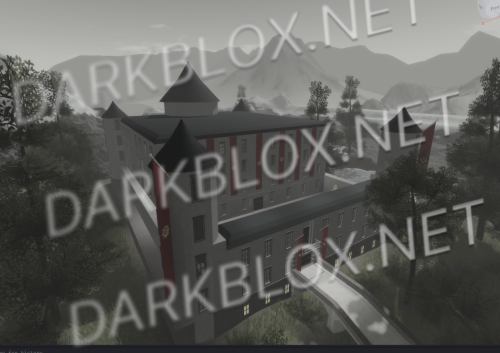
Project: Afternight [Save Instanced]Heads up! I did NOT create this game, I only Save Instanced and uploaded it to DarkBlox for others to be able to have access to and use the file. All credits belong to the original owners, creators, and developers of the game. Enjoy and happy developing! 😃 You can make a Save Instance request by creating a Support Ticket within the [VS] Visionary Studios Discord Server (https://discord.gg/D3GusB9qWK). Disclaimers:I am not responsible for the quality of the game. I am not responsible for any bugs or missing assets, models, scripts, etc. I am not required to provide any additional support on how to make the game work. (BUT I am always willing to TRY my best to help you with any questions/issues you may have via DarkBlox Messages or Discord (@austinparks)) Before You Play:For the best chance of the game working, please ensure the following: You have published the game to Roblox. You have enabled HTTP Requests. You have enabled Studio Access to API services. Additional Notes:Based on the game, you may also need to do the following to ensure it works properly: Spoof or replace any missing animations. Replace any missing/deleted IDs for assets, animations, audios, decals, etc. Change the character rig type from R15 to R6 or vice versa Be sure to also check out the “THANK YOU!” script in the Explorer for possible solutions to other common problems.Free